
Intro
Hole 19 is a golf application built around on-course utility: accurate GPS distances, scoring, aerial course views, and companion experiences that help the product act more like a digital caddie than a simple score tracker.
I joined to help establish the Android application and deliver an MVP on the platform. The product had already launched on iOS and had earned strong traction with golfers, so the challenge on Android was not speculative. The requirements were clear, the quality bar was high, and the team wanted the Android product to feel intentional from the start rather than like a secondary port.
I was not a golfer myself, which in some ways made the project more interesting. What attracted me was the combination of a demanding audience, a product whose usefulness depended on trust, and a team that cared deeply about craft. It was a good environment for doing careful mobile work.
My Work
Because the Android app was being established in earnest during that period, I ended up working across much of the product: feature development, platform architecture, and the Android-specific design and implementation decisions that shaped how the app behaved in the field.
The work that stands out most falls into three areas: custom course mapping, the scoring experience, and the watch application.
One of the defining features of Hole 19 was its aerial map view of the course. This was not a commodity map layer but a custom map powered by in-house data and rendering logic. I built the first Android versions of that screen, including the location-aware experience that placed the user accurately in relation to the hole being played and the interactive target that could be dragged to plan a shot from a top-down view. Zooming, panning, and the rest of the expected map behavior also had to be built around that custom environment rather than inherited from an off-the-shelf mapping stack.
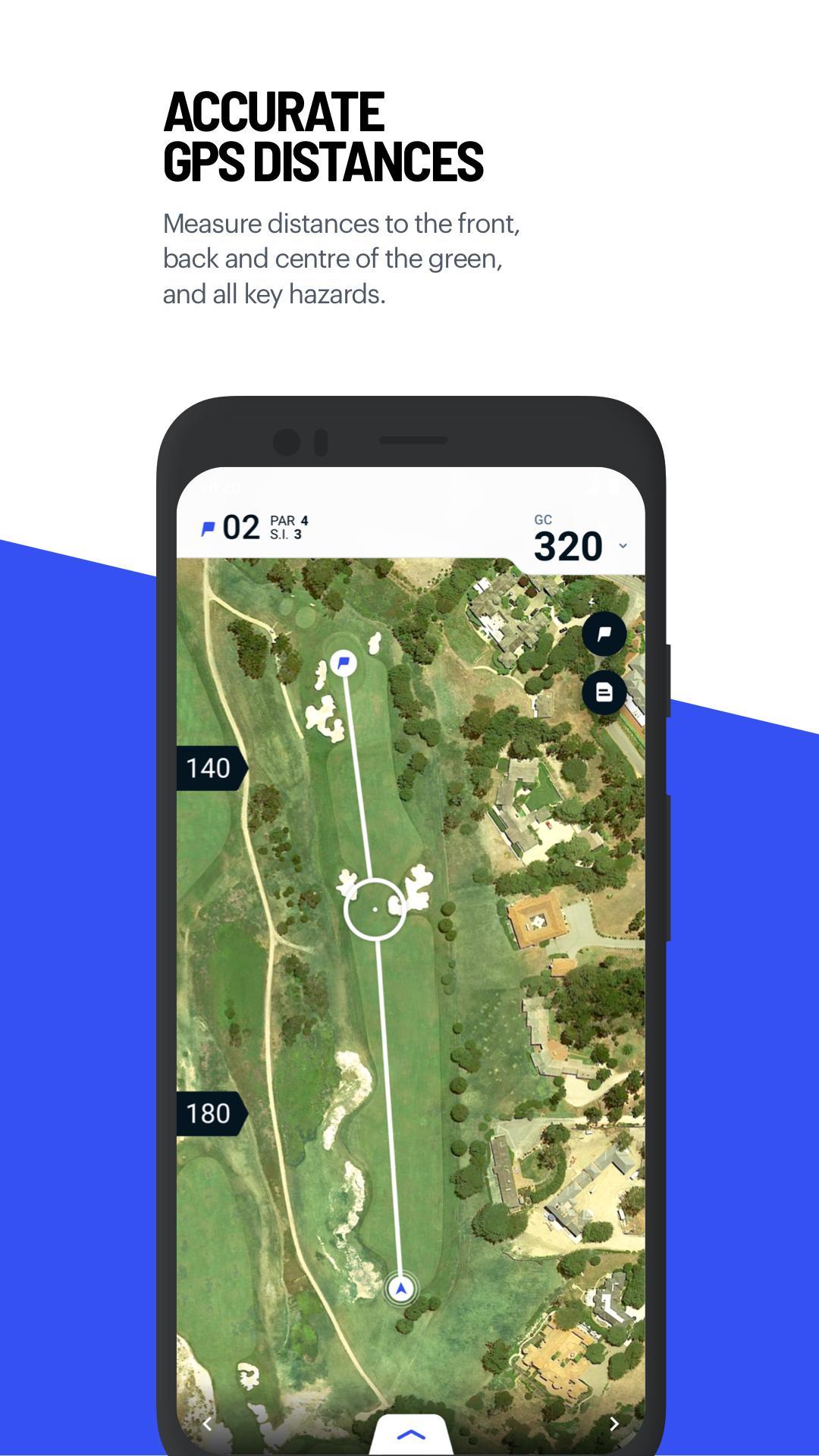
Technically, one of the most interesting parts of that work was dealing with the mathematical projections needed to position the user correctly inside a custom map space. It also forced us to go much deeper into location capture than most apps need to. A round of golf can last several hours, which means location quality matters over long sessions and battery trade-offs become much more visible. We built a custom strategy that balanced precision with energy usage, including logic that was opportunistic about when to poll for location based on how likely the user was to need the app at a given moment.
Scorecard
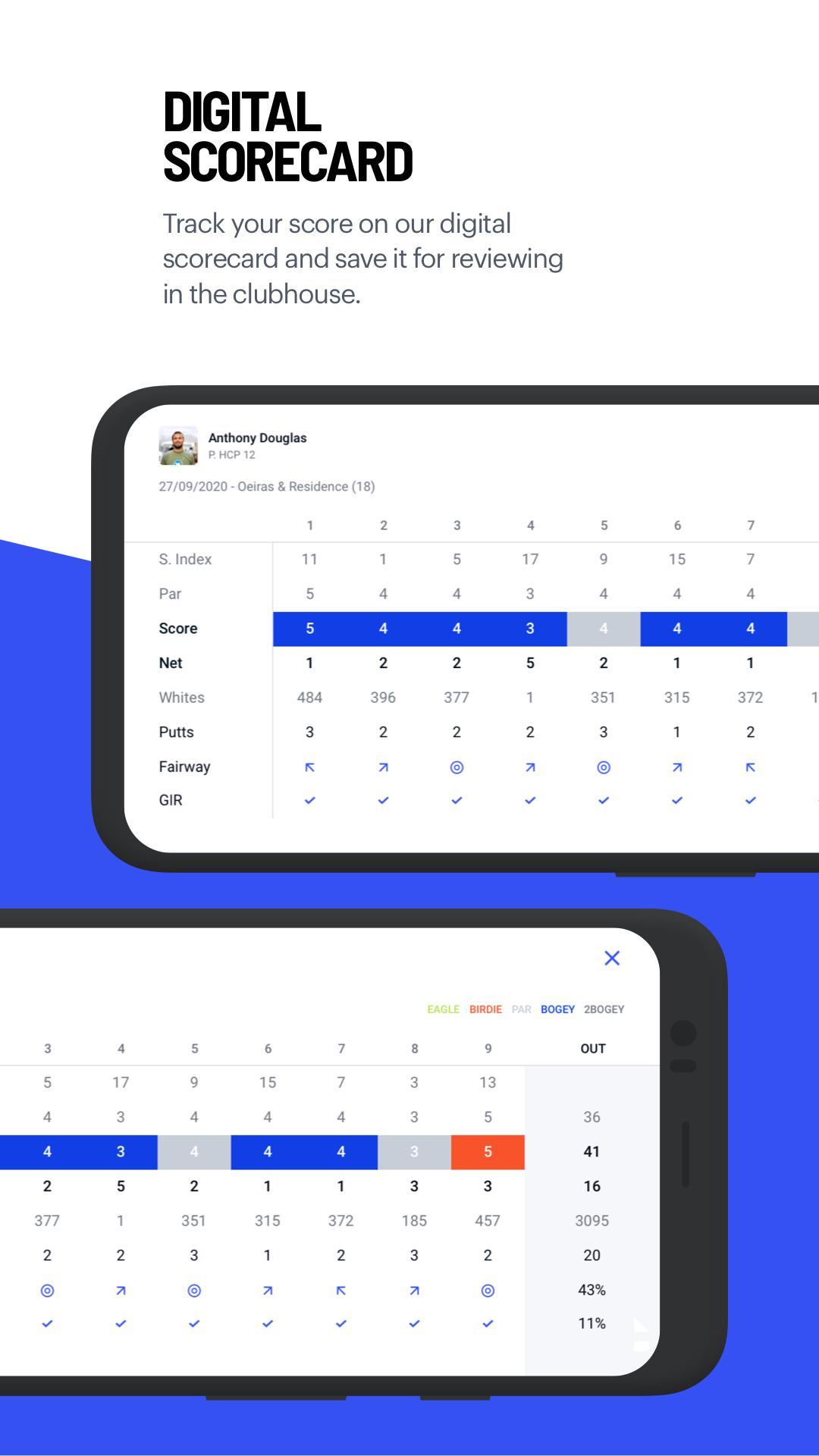
Another central part of the product was the scorecard. Hole 19’s value was not only in showing the course, but in making score tracking quick enough to be useful in the middle of play. The scoring UI was a custom-designed surface that fed into later charts and performance views, and one of its more interesting interaction details was that it could surface automatically during a game when the phone rotated into landscape. That gave the feature a more physical, in-session quality and made the device feel better suited to what the player was doing at that moment.
The Smartwatch Apps
The watch work was another particularly strong fit for the product. Golf is one of the rare categories where a wearable can be genuinely useful rather than merely adjacent, because the portability and glanceability of a watch are directly helpful during play. That made Android Wear a meaningful product surface rather than an experiment for its own sake.
I worked closely with design on the Wear experience and, at times, directly with Google’s Wear team to better understand the platform and the trade-offs available to us. We chose to build a standalone Android Wear application that communicated with the phone app instead of relying on the more limited notifications-based integration path. That decision gave us much more control over usability and made it possible for the watch to be genuinely functional in its own right.
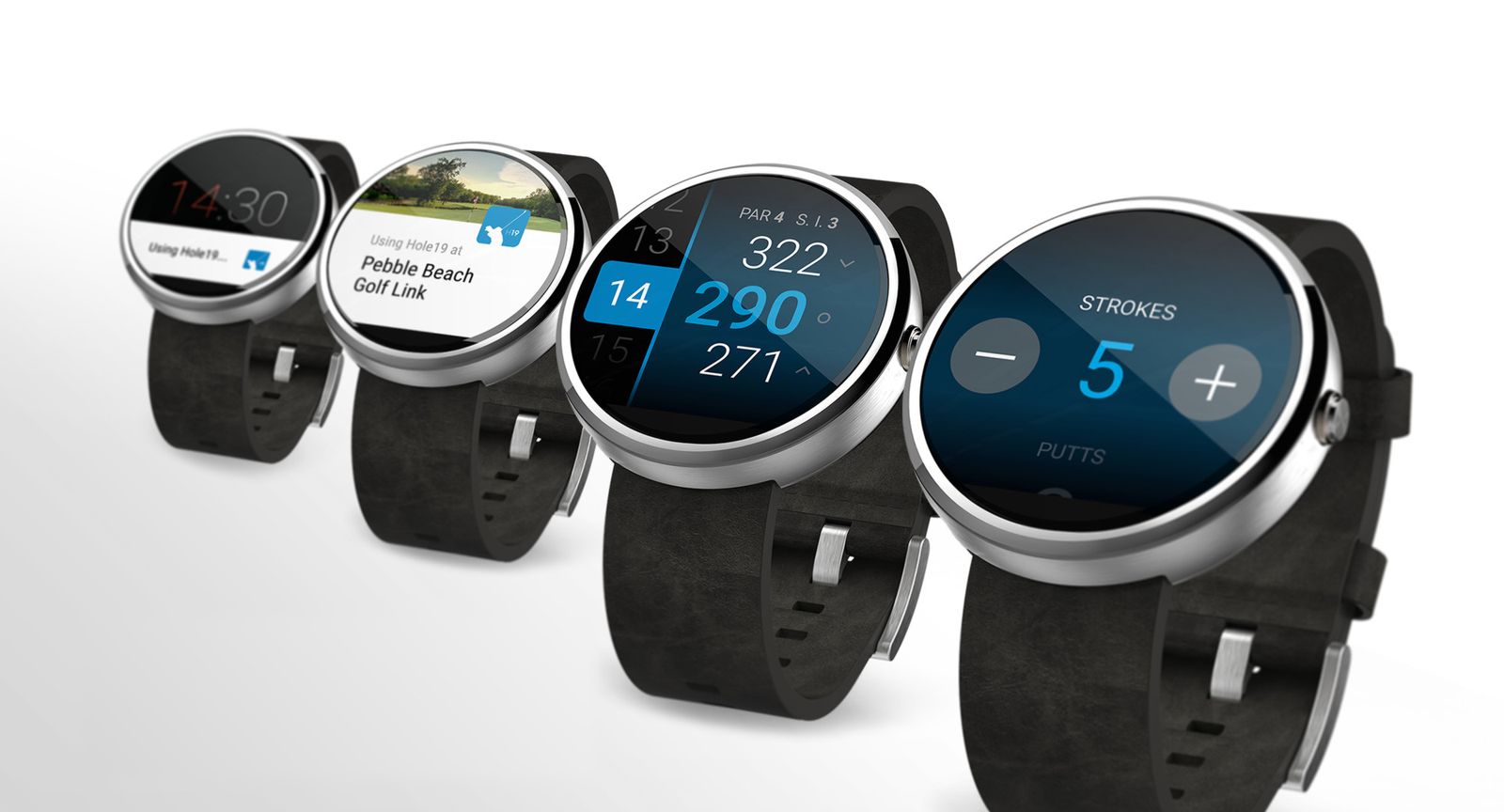
As a standalone app, the watch could record score independently while the player was on the course. If the connection to the phone dropped, which happened often when the phone was left on a cart, the watch stored data locally and synchronized it once the connection returned. In practice, that meant treating the phone and watch as separate applications connected through a custom communication bridge with explicit contracts. Some logic was shared through a modular design, and the lower layers of that bridge were built in a framework-agnostic way so they could also support Samsung Gear devices, which at the time ran on a different operating system and were part of the company’s broader wearable strategy.
What I value most in retrospect is that Hole 19 was the kind of project where product usefulness and technical execution were tightly coupled. The work only mattered if the app felt dependable on the field, and that made the engineering decisions more concrete in a useful way.